Français
 English
WONDOM DB-DP11219 SigmaStudio Programmer Board for Sure DSP
DSP Modules
Reference 12245
Bon à savoir
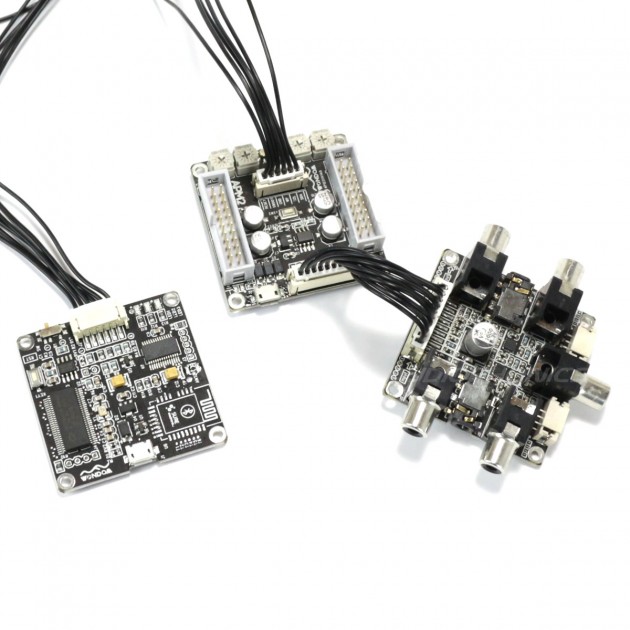
Wondom offers a programming card compatible with Sure brand DSPs. This module is essential for programming the DSP and managing the desired signal processing. Working with the free software SigmaStudio, this one will allow you thanks to a graphic interface to adapt the treatment carried out by your DSP. For this the module connects to the PC simply via Micro USB cable and to the DSP via cables with supplied jumpers.Including €0.01 for ecotax
Available now
- Paiement sécurisé
- Expédié et facturé depuis la France
- 14 jours pour changer d'avis
Ce qu'il fait
Wondom Programmer for DSP Sure
SigmaStudio Programming Module for Sure DSP
Wondom offers a programming card compatible with Sure brand DSPs. This module is essential for programming the DSP and managing the desired signal processing. Working with the free software SigmaStudio, this one will allow you thanks to a graphic interface to adapt the treatment carried out by your DSP. For this the module connects to the PC simply via Micro USB cable and to the DSP via cables with supplied jumpers.
Download the user manual here.Procedure to install the USBi driver (for 64bit Windows systems):
- Download and install Sigma Studio on your PC.
- In the Sigma Studio installation directory, go to the USB Drivers> x64 folder
- The installation of USBi drivers is launched by double clicking on the file DPinst.exe
- Once the installation is completed, the module can be used
Check the driver installation:
- The module must be connected to the PC
- Open the Windows Device Manager and then the "USB Bus Controllers" node
- The device is displayed as "Analog Devices USBI (programmed)" if the driver has been installed correctly
Functional test :
- Launch the Sigma Studio software with the connected module
- Open the demo file ( available here ) in Sigma Studio
- In the project window, select "Hardware configuration"
- The "USB" field is highlighted in green. By pressing the reset button on the module, the field should briefly change to red.
Audiophonics does not provide technical support for using the SigmaStudio software.
Sigma Studio User Guide
Find on our blog a complete guide to discover the features of Sigma Studio software and learn how to use it to make an effective correction to your system.

Tutorial
Technical characteristics
| Specifications | |
|---|---|
| PC Connection | Via Micro USB |
| Connection to the Sure DSP module | Via cables with jumpers |
| Compatibility | Sure DSP Module |
| Accessories delivered | Connection cables |
Data sheet
| Condition | New |
|---|---|
| Input | USB |
| Output | PCB Connector |
Avis